What a VPN actually does — and the sentence most explanations skip
A VPN encrypts your traffic and sends it to a server, which decrypts it and forwards it on. The consequence is not that your traffic becomes invisible. It is that the set of people who can see it changes. Before: the café Wi-Fi, the hotel, the mobile carrier, your home ISP, and whichever national middlebox sits above them — all of them see which sites you reach and roughly how much you do there. After: they see one long-lived encrypted flow to one address, and nothing about what is inside it. In exchange, the network your server sits on now occupies the position they gave up.
That is the whole mechanism, and it is worth being blunt about it because the marketing version — "be invisible online" — leads people to expect protection the design does not offer. A VPN is a change of vantage point. Whether it helps depends entirely on whether the new vantage point is better than the old one for the specific thing you are worried about. Moving the observer from a hotel network you have never heard of to a datacenter you chose, in a country you chose, running software you configured, is usually a very good trade. Moving it from your home ISP to a company that advertises on podcasts is a different trade, and a less obvious one.
Self-hosting changes the second half of that sentence and nothing else. The cryptography is identical — WireGuard's design paper describes the same handshake whether the peer is yours or a provider's. What changes is who holds the private key on the far end, who could log if they wanted to, whose customer database exists, and who else shares your exit address. Those four differences are the entire case for and against running your own, and they do not all point the same way.
Your own exit or a commercial one: the trade you are actually making
The instinct is to treat self-hosting as the strictly more private option, and for most threat models it is. There is no provider holding an account record, no shared infrastructure to be seized on someone else's account, no privacy policy to take on faith, and no possibility of a logging change you were not told about. You hold the key. Nobody has to be trusted, because nobody is in a position to betray you.
But there is one dimension where a commercial VPN wins outright, and it is not a small one. Their exit address is shared by hundreds or thousands of people at once, so a website seeing a request from it learns almost nothing about which of those people sent it. Your exit address is shared by you. It is stable, it belongs to one customer, and every site you visit through it sees the same identifier — exactly like a home IP address, only in a different country. If what you want is to disappear into a crowd, a crowd of one does not do that.
| Dimension | Your own VPS | Commercial VPN | Which wins |
|---|---|---|---|
| Who else uses your exit IP | Nobody — it is yours alone | Hundreds to thousands, constantly rotating | Commercial, clearly |
| Who could log your traffic | You, and only if you configure it | The provider, per a policy you cannot verify | Self-hosted |
| Trust required | None — you hold the private key | Total, mitigated only by third-party audits | Self-hosted |
| What a request to the operator yields | Whatever your host holds about your account | An account, a payment trail, session metadata | Depends on how you bought each |
| Cost per month | $8.50 for a whole server, any number of devices | $5–13 per subscription, device-capped | Self-hosted at more than one device |
| Choosing the exit country | One, the one you deployed in | Dozens, switchable in a click | Commercial |
| Streaming and geo-locked services | Blocked as a datacenter IP | Blocked as a known VPN range | Neither, honestly |
| Surviving a national firewall | Your address is unknown and unlisted | Provider ranges are enumerated and blocked | Self-hosted, decisively |
Read that table as two different questions rather than one score. If your adversary is the network you are sitting on — an ISP that sells browsing data, a workplace that inspects TLS, a café, a hotel, a censoring firewall — self-hosting wins on every line that matters, because the thing you are hiding from is upstream of the tunnel and cannot see through it. If your adversary is the site you are visiting, trying to link today's session to last month's, then the crowd is the protection and a private exit is worse than useless. Very few people are actually in the second situation, and most of the ones who are should be reading about Tor rather than about VPNs.
The reason people conflate the two is that the industry sells one product under both descriptions. A commercial VPN's real, defensible claim is the crowd. Everything else in the pitch — the no-logs promise, the audits, the jurisdiction of incorporation — is an attempt to compensate for the fact that you are handing your traffic to a company. Self-hosting removes the company. It cannot manufacture a crowd.
When self-hosting is the right answer
The clearest case is a network you do not control and cannot trust. Conference Wi-Fi, hotels, airports, a landlord's shared connection, mobile roaming in a country with an aggressive lawful-interception regime. In all of those the threat is local and passive, and a tunnel to anywhere else removes it completely. That this is the least glamorous use case does not make it the least valuable — it is the one that applies to almost everyone, almost every week.
The second is jurisdiction. A tunnel that exits in Zurich means the traffic leaving it is governed by Swiss law, carried by a Swiss transit provider, and outside the reach of whatever regime governs your own connection. That is not an abstraction for people in countries where the ISP is required to retain and hand over browsing records. Picking the exit country deliberately is one of the few privacy decisions with a clean, legible effect, and it is worth reading the jurisdiction comparison before you deploy rather than after.
The third is censorship. National firewalls block commercial VPNs by enumerating their address ranges, which is easy because those ranges are published, sold, and heavily used. A single VPS address in a hosting network is not on any such list — not because it is clever, but because nobody has any reason to have catalogued it. This is why the most reliable circumvention setups have always been small and personal rather than large and commercial, and it is the one place where the crowd is actively a liability.
The fourth is that you want a stable, clean, controllable exit for something other than browsing: reaching a home lab from outside, giving a small team access to internal services without exposing them, running a service that needs a predictable source address, or keeping a long-lived session on an address that will not rotate underneath you. Those are network-engineering problems that a commercial VPN cannot solve at all, and a $8.50 VPS solves in an afternoon. The VPN workload page covers the sizing and network specifics.
And the case against: if you cannot keep a server patched, do not run one. An unmaintained VPS with an open SSH port is a worse privacy outcome than any commercial VPN, because a compromised exit sees everything and answers to someone else. Self-hosting trades a trust problem for an operations problem. That is a good trade only if you will actually do the operations, which the last section of this guide reduces to about ten minutes a month.
WireGuard in ten minutes: the whole configuration
WireGuard is small enough to read. It lives in the Linux kernel, speaks a single UDP port, uses one fixed set of modern primitives with no negotiation, and its entire configuration surface is two kinds of block: one [Interface] describing this machine, and one [Peer] per device allowed to connect. There are no certificate authorities, no cipher suites to choose badly, and no daemon to tune. That minimalism is the reason it is hard to misconfigure in a dangerous way, and the reason it replaced the alternatives almost everywhere.
Start by installing the package and generating a key pair. Set umask 077 first so the private key is not written world-readable — wg-quick will complain loudly if it is, and it is right to. wg genkey produces the private key, wg pubkey derives the public half from it. Do the same on each client. The public keys get exchanged; the private keys never move off the machine that generated them.
Then write /etc/wireguard/wg0.conf. The table below is the complete file for a working server — there is nothing omitted for brevity.
| Directive | What it does | What goes wrong if you get it wrong |
|---|---|---|
[Interface] | Opens the block describing this server | — |
Address = 10.66.66.1/24, fd42:42:42::1/64 | The server's address inside the tunnel, on both families | Omitting the v6 line means clients have no v6 inside the tunnel and may use the real one outside it |
ListenPort = 51820 | The single UDP port the server answers on | Blocked by an upstream firewall and nothing connects; there is no TCP fallback |
PrivateKey = <server.key> | The server's private key, pasted inline | World-readable file and wg-quick refuses to start |
PostUp = ...masquerade... | Installs source NAT so tunnel packets can leave via the public interface | Without it, packets arrive at the server and are dropped — the tunnel connects but nothing loads |
PostDown = ...delete... | Removes the same rule when the interface goes down | Stale NAT rules accumulate across restarts |
[Peer] | Opens a block for one client device | — |
PublicKey = <client.pub> | Identifies and authenticates that device | This is the whole access-control model — the key is the account |
AllowedIPs = 10.66.66.2/32, fd42:42:42::2/128 | On the server, the addresses this peer may use | Too wide and one client can impersonate another; on the client it means something different entirely |
Two things outside the file have to be true as well. The kernel must be willing to forward: set net.ipv4.ip_forward=1 and net.ipv6.conf.all.forwarding=1, and write them into /etc/sysctl.d/ so they survive a reboot. And the NAT rule in PostUp must name the real public interface — on most cloud images that is eth0, but check with ip route get 1.1.1.1 rather than assuming. A wrong interface name is the single most common reason a first WireGuard setup connects and then goes nowhere.
Bring it up with wg-quick up wg0, confirm with wg show that the interface exists and lists your peers, then systemctl enable --now wg-quick@wg0 so it returns after a reboot. On the client side the file is nearly identical, with three differences that matter: AllowedIPs becomes 0.0.0.0/0, ::/0 — meaning route everything through here rather than accept these sources — an Endpoint line points at the server's public address and port, and PersistentKeepalive = 25 keeps the mapping alive through home routers that would otherwise time it out. For phones, run the client config through qrencode -t ansiutf8 and scan it from the terminal. Do not send config files through a messaging app; the private key is in there.
The four leaks that route around the tunnel
A tunnel that carries traffic is not the same as a tunnel that carries all traffic, and the gap between those two is where every real-world VPN failure lives. Each of the four below is a case where the tunnel is working perfectly and your traffic is going around it, and none of them announce themselves. You have to look.
DNS. If the client keeps using whatever resolver the local network handed out, then the tunnel carries your traffic while the café's DHCP server continues to receive a live feed of every domain you look up. The names alone are almost the whole picture. Fix it by setting an explicit DNS = line in the client config, or better, run a resolver on the VPS bound to the tunnel address and point clients at that — then the lookups traverse the tunnel too and terminate on a machine you own. Verify from the client, not from the server, using any DNS leak test; you should see exactly one resolver and it should be yours.
IPv6. The classic silent failure. If AllowedIPs on the client says only 0.0.0.0/0, you have told the operating system to route IPv4 through the tunnel and said nothing about IPv6. On a dual-stack network — which now means most home and mobile networks — every site that has an AAAA record is reached over your real address, outside the tunnel, while a leak test that only checks v4 reports everything is fine. Either add ::/0 and hand out v6 addresses inside the tunnel, or disable IPv6 on the client outright. Doing neither is the default, and the default is broken.
The absence of a kill switch. When the tunnel drops — laptop suspends, mobile hands off between towers, the server reboots for a kernel update — the operating system does the helpful thing and falls back to the local network. Traffic that you believed was tunnelled is not, and nothing tells you. On Linux, wg-quick with the default routing table already fails closed for most traffic, but the reliable fix is an explicit firewall rule that drops anything not leaving via wg0. On Android and iOS, turn on Always-on VPN and Block connections without VPN. On desktop clients, check whether the setting exists before you assume it does.
MTU. Not a privacy leak but the reason people give up. WireGuard's encapsulation costs 60 bytes for IPv4 and 80 for IPv6, so the default interface MTU of 1420 fits inside a normal 1500-byte path. Over PPPoE, some mobile networks, or a second tunnel, the real path is smaller, and the symptom is peculiar: pings work, small pages load, and large TLS handshakes hang forever. If that describes what you are seeing, drop the client MTU to 1380 or 1280 and it will simply start working.
| Check | How to verify it | What a pass looks like |
|---|---|---|
| IPv4 exit | Fetch your public address from any echo service | The server's address, not your own |
| IPv6 exit | Fetch it again over IPv6 explicitly | The server's v6 address — or no v6 route at all |
| DNS | Any DNS leak test, run from the client | One resolver, the one you configured |
| Fail-closed | Stop the tunnel and reload a page | The page fails; it does not quietly load |
| MTU | Load a large page over TLS on the worst network you use | It completes instead of hanging |
| Handshake freshness | wg show on the server | A recent handshake for each peer you expect |
One thing a VPN cannot fix, and it is worth stating so you do not expect it to: an observer who can watch both ends at once can correlate them by timing and volume, tunnel or no tunnel. Encryption hides content, not the shape of a conversation. Defending against that adversary requires mixing your traffic with other people's across multiple relays, which is what Tor is for and what a single-hop VPN structurally is not. If that is your threat model, a self-hosted VPN is the wrong tool and no configuration of it will become the right one.
Making the exit address behave in the wild
The address your tunnel exits from belongs to a hosting network, and a large amount of the modern web sorts addresses into residential and datacenter before deciding how to treat you. Streaming catalogues, some banks, ticketing sites and a good deal of anti-fraud tooling treat anything from a hosting network as suspicious by default. This is not something a configuration change fixes — it is a property of where the server lives, and it applies equally to a self-hosted tunnel and to every commercial VPN on the market. Anyone promising otherwise is describing a cat-and-mouse game they are currently losing.
What does differ is which lists your address appears on. Commercial VPN ranges are enumerated, published and sold as feeds precisely because they are large, static and shared; a site that wants to block VPNs buys the list. A single address in a general hosting network is not on it. In practice that means self-hosted exits sail through a surprising amount of the ordinary web that blocks commercial providers outright, while still hitting a wall at the specific services that block all datacenter traffic. Expect the occasional extra CAPTCHA and no more.
A few things are worth doing once. Set a plain, boring reverse DNS record on the address rather than leaving the provider default — many reputation systems read the PTR, and a generic hostname scores better than something that reads like infrastructure. Keep the tunnel off port 25 entirely; outbound mail from a fresh hosting address lands in spam folders regardless of what you do, and the deliverability problem is its own multi-week project. And if the address does end up poisoned — inherited from a previous tenant, or from something one of your own peers did — ask for a re-IP rather than fighting it. We re-IP customers to a fresh address in the same prefix free of charge; open a panel ticket and it is done inside a day.
The last consideration is who else is behind your tunnel. Because every peer shares one exit address, one person's behaviour becomes everyone's reputation. A household is fine. A group of twenty acquaintances where you do not know what half of them are doing is how a clean address becomes a blocked one, and how an abuse report arrives with your account name on it. If you are handing out peers beyond people you would vouch for, give them their own instance instead — at $8.50 a month that is a cheaper answer than the alternative.
The layer nobody configures: how you paid for the box
Here is the failure that undoes everything above, and it has nothing to do with WireGuard. Traffic leaves your exit address. The address belongs to a server. The server belongs to an account. The account was opened with an email address and paid for with a card in your name. At that point the chain from the traffic back to you is four hops long, entirely documented, and sitting in a provider's billing database waiting for someone to ask. You have not removed an observer; you have moved it somewhere with better record-keeping.
This is the difference between a VPN that changes your network position and a VPN that changes your exposure, and it is decided at checkout rather than in the config file. If the reason you want a private exit is that your ISP or your government should not have your browsing history, and the server is rented under your legal identity through a card payment, the setup still works — the ISP genuinely cannot see through the tunnel. But it is a privacy improvement against one specific observer, not against a determined one. Be clear with yourself about which you are buying.
Closing the gap means the account cannot identify you and the payment cannot either. That means no identity verification at signup — a throwaway email address and nothing else, which is what no-KYC hosting actually means in practice — and payment on a rail that does not carry your name. Monero is the clean answer because the amounts and the parties are not on a public ledger at all; the walkthrough takes about five minutes end to end. Bitcoin works but is a permanent public record, so it is only as private as the coins going in, and the comparison between the two is worth reading before you decide it does not matter.
Then there is jurisdiction, which determines what anybody could compel even if they did ask. A provider incorporated outside the 14-Eyes sphere, with datacenters in countries whose retention law does not require keeping traffic records, is structurally unable to hand over a browsing history it never collected. That is a stronger guarantee than a promise not to look. For the full version of this argument — what is genuinely traceable about a rented server and what is not — the honest answer is here, including the parts that are less reassuring than the marketing.
Sizing: how little server a tunnel actually needs
WireGuard is remarkably cheap to run. It lives in the kernel, so packets are never copied out to userspace; it uses ChaCha20-Poly1305, which is fast on every CPU and does not depend on AES acceleration to stay fast; and it holds a few kilobytes of state per peer and nothing else. A single modern core will push somewhere around a gigabit of encrypted throughput, and memory is effectively never the constraint. The practical limit on a VPS tunnel is the uplink, not the processor.
Which means most people are choosing a plan for the wrong reason. A household of five devices browsing, streaming and video-calling all day is nowhere near the limits of the smallest tier — the CPU sits idle and the bandwidth is unmetered. Size up when you have a lot of simultaneous peers pushing real traffic at once, or when you want more headroom on the uplink, not because a tunnel feels like it ought to be demanding.
| What you are running | Concurrent peers | Tier | The actual constraint |
|---|---|---|---|
| Personal use — laptop, phone, tablet | 1–5 | Starter, $8.50/mo | None. The CPU is idle and 1 Gbps is unmetered. |
| A household or a small team | 5–20 | Starter or Growth, $13.50/mo | Peak concurrent bandwidth, never CPU. |
| A larger group, sustained traffic | 20–80 | Growth or Business, $20/mo | Uplink at 2.5–5 Gbps; CPU still has room. |
| Egress-as-a-service for a community | 80–250 | Business or Pro, $27.50/mo | Now CPU matters, and so does one peer's behaviour becoming everyone's reputation. |
| Line-rate encryption for one host | Any | Scale, $34.50/mo | 10 Gbps unmetered, several cores to spread the crypto across. |
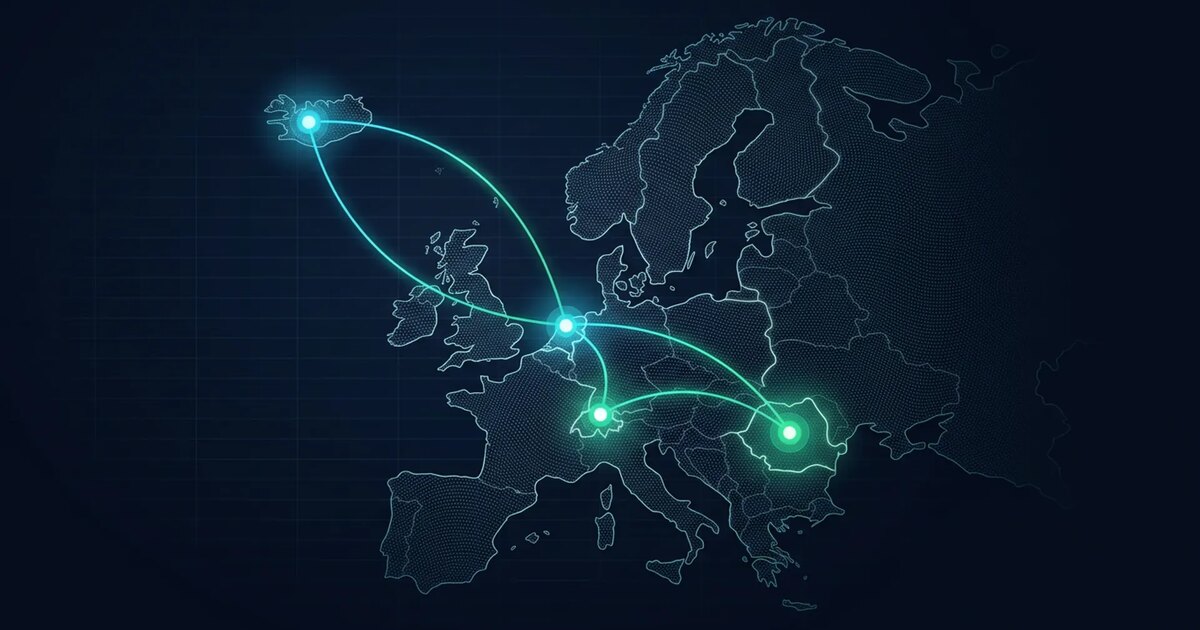
Location matters more than hardware for how the tunnel feels. Every packet you send makes a detour through the server, so your latency to everything becomes your latency to the server plus the server's latency onward. Pick a datacenter close to you if the tunnel is always on and you care about responsiveness; pick one close to what you are reaching if it is not. Amsterdam is the shortest path back to most of Europe, Zurich and Reykjavík trade a few milliseconds for jurisdictions with stronger privacy law, and Bucharest sits between the two on both counts.
One more thing worth knowing before you pick: WireGuard's handshake has a recognisable shape on the wire, and a firewall doing deep packet inspection can identify and drop it without knowing anything about the destination. In most of the world this never comes up. In a handful of networks it means WireGuard alone will not connect, and you need an obfuscating transport in front of it — Shadowsocks, an xray or v2ray stack, or one of the WireGuard forks that pads the handshake. All of them run on the same instance; it is a layer added on top, not a different plan.
Running it for years without thinking about it
The operational load of a personal WireGuard endpoint is close to zero, but not actually zero, and the difference is what separates a private exit from a compromised one. Everything below is a one-time setup except the last item, which is about ten minutes a month.
Lock down the front door first. SSH with keys only — PasswordAuthentication no, PermitRootLogin prohibit-password — and a firewall that accepts exactly two things from the internet: the WireGuard UDP port, and SSH. If you want to be thorough, move SSH so it only listens on the tunnel address, which means the only reachable service on the public interface is WireGuard itself, and WireGuard does not answer unauthenticated packets at all. A port scan of the box then returns nothing, which is a genuinely unusual property for an internet-facing server.
Turn on unattended security upgrades and let them run. The kernel matters here in a way it does not on most servers, because the WireGuard implementation is part of it. Reboot when a kernel update lands; wg-quick@wg0 under systemd brings the tunnel back on its own, and clients with PersistentKeepalive reconnect within seconds without anyone touching them.
Handle keys like accounts, because that is what they are. One key pair per device, never shared between two. Revoking access is deleting that [Peer] block and running wg syncconf wg0 <(wg-quick strip wg0), which applies the change without dropping anyone else's session. Back up /etc/wireguard/ somewhere encrypted and off the machine — losing it means re-enrolling every device by hand. If the server holds anything else you care about, full-disk encryption is a reasonable addition, though for a pure tunnel there is very little on the disk worth encrypting beyond that one directory.
Monitor without logging. wg show gives you the last handshake time for every peer, which is enough to answer every operational question you will actually have — is it up, is this device connected, when did it last check in. Resist the urge to add traffic accounting or connection logs: you built this specifically so that nobody holds a record of where your traffic goes, and the person most likely to create that record is now you. On our side there is nothing to disable — no netflow, no port mirroring, no traffic capture of any kind, and ARP tables that age out in 24 hours, which is documented on the privacy page rather than promised in a footer.
That is the whole job. Fifteen lines of configuration, one firewall, security updates on a timer, and a monthly glance at wg show. The hard part of a self-hosted VPN was never the VPN — it is remembering that the tunnel only relocates the observer, and that everything the relocation is worth depends on the four leaks above being closed and the account underneath it not leading back to you.