What encrypting a rented disk actually buys you
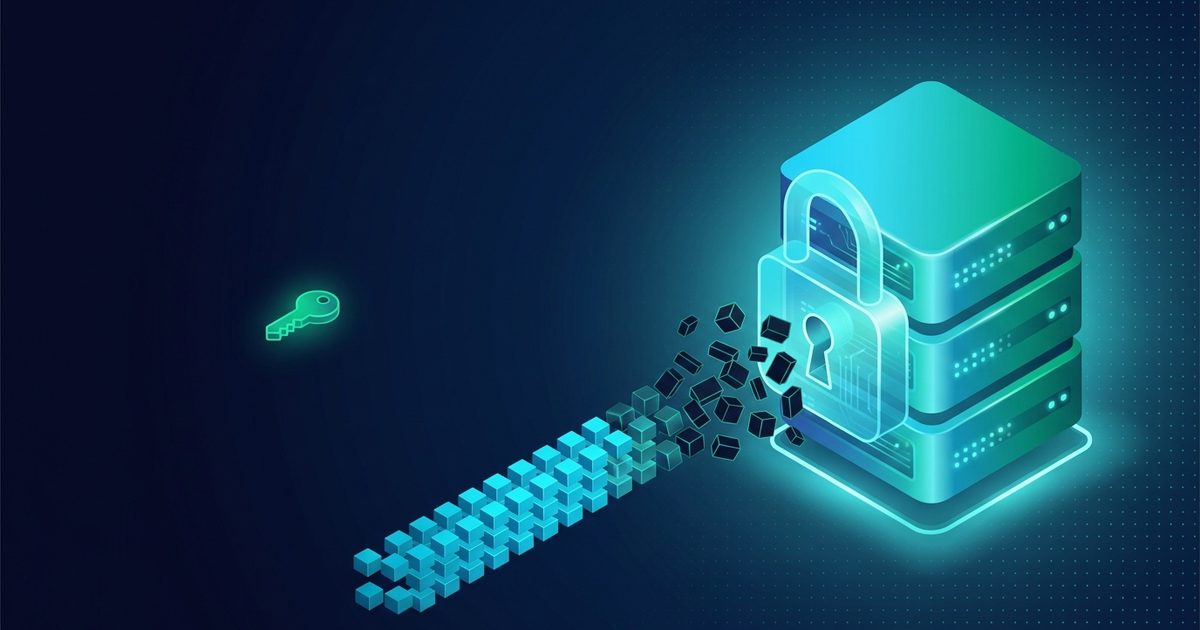
A server has two states and disk encryption only has an opinion about one of them. Powered off, the volume is ciphertext: the storage holds bytes that are indistinguishable from noise without the key. Running, the volume is mounted, which means the master key has been derived, loaded into kernel memory and left there for as long as the machine is up. Every file the operating system can read, it can read because that key is resident. Encryption did not stop working — it is simply doing exactly what it was asked to do.
That is a narrower guarantee than the marketing suggests, and it is still worth having, because the events it covers are the ones that actually happen. A drive is decommissioned and resold. A failed NVMe goes back to the vendor under RMA with your data on it. A node is powered down and its disks imaged. A backup archive leaves the building on media nobody encrypted. Somebody with physical access to a rack takes the wrong thing home. These are unglamorous and they are the overwhelming majority of real-world exposures — far more common than the raid on a live machine that everyone pictures.
| Scenario | Machine state | Does LUKS help? | What is exposed |
|---|---|---|---|
| Drive decommissioned, resold or RMA'd | Off | Yes, completely | Ciphertext and the LUKS header |
| Node powered down, disks imaged | Off | Yes | Ciphertext, partition layout, plaintext /boot |
| Backup archive copied off-site | n/a | Only if the archive is itself encrypted | Whatever the archive holds, in the clear |
| Live acquisition of a running instance | Running | Effectively no | Everything — the key is in RAM |
| Compromise of the running system | Running | No | Everything the mounted volume exposes |
The hypervisor sits inside your threat model, and encryption does not remove it
On a VPS your kernel is a guest. Whoever operates the hypervisor holds the memory of that guest the way you hold the contents of a file, and there is no cryptographic step in between. virsh dump writes a running domain's RAM to a file as a routine operation; live migration copies that same memory across the network by design, because that is what migration is. A LUKS master key living in guest memory is inside all of it.
So the honest sentence is this: full-disk encryption on a VPS protects your data from everyone except the party running the hypervisor — and from that party too, but only while the machine is off. Any host claiming that encrypting your guest disk makes your data unreadable to them on a running instance is describing a machine that does not exist. We would rather write that down than let you infer something more comfortable.
If the provider genuinely is in your threat model, the answer is not a stronger cipher. It is removing the hypervisor: a dedicated server runs your kernel on the metal, so reading its memory means having the machine physically in hand and mounting a DMA or cold-boot style attack against RAM — slow, noisy, and requiring a level of access that a routine request does not confer. The VPS versus dedicated guide covers where that switch pays for itself on other grounds too. Confidential-computing extensions such as AMD SEV-SNP and Intel TDX aim precisely at this gap, but they are not a commodity on rented VPS today and they relocate trust to the CPU vendor rather than eliminating it.
Three ways to run it, and what each one costs you
There are three shapes in practice and they trade security against how much your reboots hurt. An encrypted root unlocked from the console is the strongest and the most annoying: nothing survives a reboot without a human. An encrypted root with an SSH server in the initramfs is the same security with a remote unlock, and is what most people should build. An encrypted data volume on a plaintext root is the easy option and the one that quietly disappoints.
It disappoints because a plaintext root collects your secrets whether you meant it to or not. The systemd journal writes there. So does shell history, the package cache, core dumps, /tmp, Docker's default data root, and — the one that catches almost everybody — swap, which is where a process's memory goes when the box is under pressure. Encrypting /var/lib/mysql while swap sits unencrypted next to it is not a partial defence, it is a full defence with a hole in the middle.
| Setup | Unlock | Survives an unattended reboot | Honest verdict |
|---|---|---|---|
| Encrypted root, console unlock | KVM-over-VNC or IPMI | No — stays down until a human unlocks | Strongest; fine for a machine you reboot rarely |
| Encrypted root, dropbear in initramfs | SSH to the unlock port | No — but you can unlock from anywhere | The sensible default |
| Encrypted data volume, plaintext root | Script or manual after boot | Yes | Weak unless swap, logs and temp are handled |
| Encrypted root, key file on plaintext /boot | Automatic | Yes | Defends against a resold drive and nothing else |
Installing an encrypted root, step by step
1. Boot an installer, not a template. A prebuilt image cannot give you an encrypted root because the disk was written before you existed as a customer. Every BitVPS plan supports rebuild-from-ISO, a custom ISO upload and netboot, and every plan includes a KVM-over-VNC emergency console — which is the part that matters, because you need to watch an installer that is going to ask questions. Dedicated servers expose the same capability through a VPN-gated IPMI endpoint with ISO mount and BIOS access.
2. Partition with a small plaintext boot area. One small partition for /boot or the EFI system partition, everything else to a single LUKS container. The bootloader and the initramfs must be readable before any key exists, so that partition stays legible to anyone who images the disk. Design around that rather than pretending otherwise.
3. Create the container. cryptsetup luksFormat --type luks2 --pbkdf argon2id /dev/vda2. LUKS2 with argon2id is the whole point: argon2id is memory-hard, specified in RFC 9106, and it makes an offline guessing attack expensive in hardware rather than merely slow in software — the difference between a GPU farm chewing through your passphrase and a GPU farm not being worth pointing at it. Keep the memory cost inside what the machine can allocate during early boot; on a 4 GB instance a cost tuned on your 64 GB laptop will simply fail to unlock.
4. Open it and install. cryptsetup open /dev/vda2 cryptroot, then LVM or a filesystem directly on /dev/mapper/cryptroot, then run the distribution installer against it with /boot on the plaintext partition. Debian, Ubuntu, Alpine, Arch, Rocky, Fedora and FreeBSD all handle this; the Arch wiki's dm-crypt pages are the most complete reference regardless of which distribution you actually run.
5. Put an SSH server in the initramfs. Install dropbear-initramfs, drop your public key into /etc/dropbear/initramfs/authorized_keys, and add an ip= parameter to the kernel command line so the interface comes up before the passphrase prompt. Skip that parameter and you have built a machine that boots to a prompt nobody can reach.
6. Rebuild and reboot. update-initramfs -u bakes the server, your key and the network settings into the image the bootloader loads. Then reboot with the console open, because the first attempt is the one that goes wrong.
7. Unlock and confirm the handover. SSH to the unlock port and run cryptroot-unlock. The initramfs presents a different host key from the installed system, so your client will warn loudly on first connection — that is correct behaviour and a useful signal, not an obstacle: pin that fingerprint as its own known_hosts entry instead of turning host-key checking off. The session dropping is how you know the real system took over.
Remote unlock, and the 04:00 question nobody asks first
Run the initramfs SSH server on its own port — 2222 is conventional — so the two host keys never collide in the same known_hosts entry. Prefer a static ip= over DHCP: the initramfs is a minimal environment and a DHCP round trip that fails leaves you with a machine that is up, unreachable and holding a prompt. If you rely on IPv6, check that your initramfs actually configures it; several distributions still bring up v4 only at that stage.
Keep the console as the fallback even after the SSH unlock works. The failure you will eventually hit is not a cryptographic one, it is a kernel update that rebuilt the initramfs without your key, or a network parameter that changed under you — and at that moment the only route in is the KVM-over-VNC console that came with the plan. Having both is not redundancy, it is the difference between an inconvenience and a rebuild.
Then the operational question, which is the one to settle before you build any of this: an encrypted root means an unattended reboot leaves your service down until a human unlocks it. Node maintenance, a kernel panic, a power event — the machine comes back to a prompt, not to your application. If that is unacceptable for the workload, do not paper over it with a key file on the plaintext boot partition. That is a lock with the key taped to the door, and it defends against a resold drive and nothing else. Choose it deliberately if you want, but write down in your own runbook that this is what you chose.
Everything that leaks around the encrypted volume
The volume is rarely where things go wrong. What goes wrong is the material that never made it inside.
| Leak | Why it happens | Fix |
|---|---|---|
| Swap | Process memory — including keys — spills to disk under pressure | Swap inside the container, or a random-key swap device, or none |
| Hibernation image | A full RAM dump written to disk by design | Disable it on a server; it has no business there |
| Plaintext /boot and initramfs | Must be readable before any key exists | Accept it, and treat modification as a compromise — verify, or use Secure Boot where available |
| Journal written before the mount | Early boot logs land on the plaintext partition | Check where your journal actually lives before the volume opens |
| Docker data root | Defaults to /var/lib/docker, outside a bolted-on data volume | Move it inside, or encrypt the root instead |
| Off-box monitoring and logs | Agents ship file contents to a third party in the clear | Audit what the agent sends before you trust the volume |
One property to be clear about, because it is regularly oversold: a LUKS header announces itself. Anyone imaging the disk sees that an encrypted container is present, which cipher it uses, the KDF parameters and how many key slots are occupied. LUKS gives you confidentiality, not plausible deniability, and building a plan that depends on nobody noticing the container is building on sand.
Passphrases, key files and detached headers
The passphrase is the whole system. Argon2id makes each guess expensive, but expensive multiplied by a small keyspace is still cheap: five or six words from a diceware list beats an eleven-character password with substitutions in it, by a margin that is not close. Tune the cost with --iter-time against the machine that will actually unlock the volume, not the one you are typing on, and never reuse a passphrase that has been anywhere near a KYC'd account.
A key file removes the typing and moves the problem: cryptsetup luksAddKey adds one to a spare slot, and the only version worth having is the one that never rests on the server — kept on your own machine or a hardware token and fed to the unlock over the SSH session. A detached header (--header) goes further: the data device becomes indistinguishable from random bytes because the metadata lives elsewhere. The flip side is unforgiving. Lose the header and the volume is gone, permanently, with no recourse of any kind — so take cryptsetup luksHeaderBackup seriously and store that backup somewhere itself encrypted. The upstream cryptsetup FAQ and the kernel's dm-crypt documentation are the two references worth reading before you commit to a layout.
And a rule with no exceptions: the passphrase never goes into a support ticket. Not ours, not anyone's. Nothing we do requires it, no operation we can perform on your behalf needs it, and a ticket is a written record in a database. If a host ever asks you for it, that is the end of the conversation.
What an imaged disk actually gives up
Take the powered-off case concretely, because vagueness here helps nobody. An investigator with an image of your disk has: the ciphertext, the LUKS header with its cipher and KDF parameters and slot count, the partition table, the sizes of everything, and the entire plaintext boot partition — your kernel, your initramfs, and the modification timestamps of every file in it. That last item is more informative than people expect. Package installation times sketch a timeline, and an initramfs containing a dropbear key says something about how the machine was administered.
What they do not have is the contents. Against a modern LUKS2 container with argon2id and a real passphrase, the offline attack is not a matter of waiting longer — it is not on the table. That is the entire value proposition, and it is a good one.
The running case is the opposite and it is short: everything. Not because encryption failed but because the key is resident, which is the condition under which a mounted filesystem works at all.
Snapshots sit in between and surprise people. Our hourly snapshots with 7-day retention are block-level, so an encrypted volume snapshots as ciphertext — good, and the corollary bites: that snapshot is not a copy you can read without the passphrase either. Lose the key and the snapshots are exactly as unrecoverable as the original. Plan a restore path that includes the passphrase, or you have built seven days of very reliable noise. What we hold about you outside the volume is written down in the privacy policy, and we publish a weekly PGP-signed warrant canary as the standing evidence rather than a promise.
The parts that decide the outcome are not cryptographic
Nobody has lost data because AES-256-XTS gave out. They lose it because the passphrase was reused from an exchange account that had their passport on file, because the key file was left on the plaintext boot partition to make reboots quiet, because the off-site backup was a plain tarball, because the passphrase is in their laptop's shell history, or because a monitoring agent was shipping file contents to a SaaS the whole time.
And the quiet one: a server that is never off spends its whole life in the state where none of this helps. An instance with 400 days of uptime has been decrypted for 400 days. If the data is genuinely cold — an archive, a key backup, records you consult twice a year — keep it in a container you open when you need it and cryptsetup close when you are done. Ten seconds of typing converts a permanent exposure into a momentary one, and that conversion is worth more than any parameter you can pass to luksFormat.
Match the jurisdiction to the same reasoning while you are at it. Encryption decides what is readable; where the machine sits decides who gets to ask, and which alliances the request travels through. The two are not substitutes, and the people who get this right treat them as one decision.
What we provide, and what we cannot
Every plan from the $8.50 Starter upward ships what an encrypted root actually requires: KVM virtualisation with full root, the ability to boot custom ISOs and netboot, rebuild-from-ISO from the panel, kernel module loading, and a KVM-over-VNC emergency console for the moment the initramfs does not come back. Dedicated tiers add a VPN-gated IPMI endpoint with console, power cycle, ISO mount and BIOS access. Nothing about the encryption is a product we sell you — it is a thing you build, and our job is not to be in the way.
What we cannot do is more useful to state. On a running VPS the hypervisor can read guest memory; that is the architecture, not a policy setting, and no encryption you install inside the guest changes it. What we offer against it is not mathematics but posture and evidence: no netflow, no PCAP, no NIC mirroring, panel session IPs purged at 24 hours, no KYC at signup so the account is not a lever, crypto-only payment so the billing trail is not one either, and a weekly PGP-signed canary you can check yourself. Only dedicated hardware removes the hypervisor from the picture, and only powering down removes RAM from it.
If that reads as an argument against our own VPS in certain threat models, it is. We would rather sell you the right thing twice than the wrong thing once. Deploy an instance with an ISO and try the install on a Starter for a month; if the answer turns out to be metal, the dedicated tiers start at $39.50 and take two to four hours to provision rather than 41 seconds.