What BTCPay Server actually is, and what it replaces
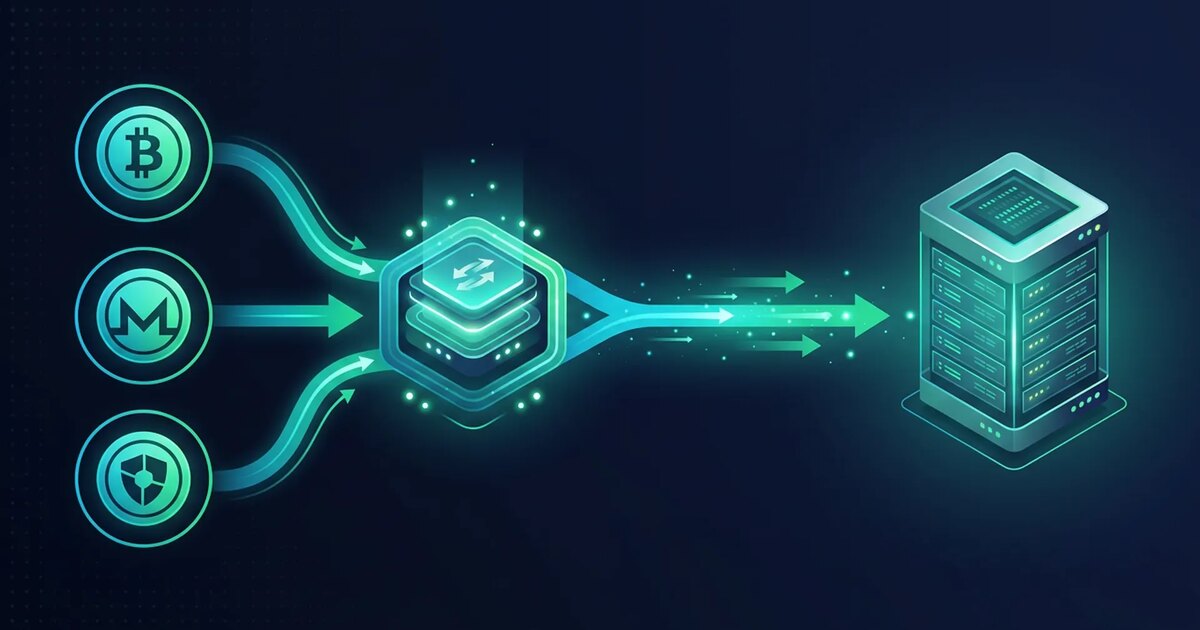
BTCPay Server is not a wallet and it is not a payment company. It is the software layer that sits between your website and your own Bitcoin node and does the boring, necessary work a processor normally does for you: it generates a fresh address or Lightning invoice per order, quotes a fiat amount at a rate it locks for the life of the invoice, watches the chain for the payment, decides when the payment counts as settled, and tells your shop. The money never passes through anybody's account on its way to you, because there is no account — the addresses belong to a wallet you control, and the software is only watching them.
That single architectural difference is the whole reason to run it. A hosted processor is a company with a compliance department, a bank, and a terms-of-service document that reserves the right to hold your settlement while it reviews you. It will ask for identity documents, because it is moving money on your behalf and its own regulator requires it to know whose money it is moving. Self-hosting removes the intermediary rather than negotiating with it: there is no onboarding, no monthly volume review, no settlement schedule, and nothing for a third party to freeze, because at no point does a third party hold the funds.
What you get in exchange for the work is a genuinely complete checkout. Invoices with an expiry and a locked exchange rate. On-chain and Lightning in the same invoice, so a customer paying two dollars is not asked to pay a three-dollar network fee. A point-of-sale page, a donation button, a crowdfunding page, a payment button you can paste into any HTML. Plugins for the common shop platforms, and a full REST API if your shop is something you wrote yourself. Refunds, pull payments, payouts. Payjoin, if you care about breaking the common-input-ownership heuristic on the receiving side.
It is worth being precise about what is not included, because most disappointment with self-hosted payments comes from expecting a product where there is a protocol. Nobody converts your Bitcoin to euros and wires it to a bank; if you need that, you still need an exchange, and the exchange will still ask who you are. Nobody underwrites chargebacks, though there are none to underwrite. Nobody answers the phone at two in the morning when the node stops following the chain — that is now your job, and it is the part of this guide people skip.
The machine: what it really needs, and where the cheap plan stops
The application is small. The stack under it is not. A default deployment runs Bitcoin Core, an address indexer called NBXplorer, a PostgreSQL database, the BTCPay web application, a reverse proxy that handles certificates, and — if you enable it — a Lightning node, each in its own container. The web application would be happy on a raspberry pi. Bitcoin Core would not.
Memory is the first thing people under-buy. Two gigabytes will technically start the stack and will spend the initial sync swapping, which on a shared NVMe is a good way to turn a day into three. Four gigabytes is a sane floor for on-chain only. Eight is the realistic floor once Lightning is in the picture, because you are now running a second daemon that keeps its own database and its own view of the graph, and because bitcoind performs enormously better during the initial download when you can hand it a large dbcache instead of the conservative default. The reduce-memory notes in Bitcoin Core are the reference for which knobs trade RAM against time.
Disk is the second, and it is the one that decides your plan. The unpruned chain is past seven hundred gigabytes and adds roughly sixty a year, so an archival node no longer fits on any VPS tier we sell and belongs on a dedicated box where a mirrored pair still leaves you a terabyte. Pruning changes that completely — the node keeps a rolling window of recent blocks and discards the rest, and for a payment endpoint that is not a compromise at all, because a merchant never needs to serve historical blocks to anyone. Add the indexer's database, PostgreSQL, the Docker images and volumes, the Lightning node's own store, and the logs, and a pruned deployment lands comfortably inside a hundred-gigabyte class of machine with room to grow.
CPU matters mostly for one week of your life. Signature validation during the initial block download is the heaviest thing this server will ever do; afterwards, verifying one block every ten minutes and answering a handful of invoice requests is close to idle. Buy cores for the sync, not for the steady state — or buy the smaller plan and accept that the sync takes longer, which is a perfectly reasonable trade if you are not in a hurry.
| Setup | RAM | Disk | Sensible plan | Notes |
|---|---|---|---|---|
| On-chain only, pruned | 4 GB | ~60–80 GB used | Growth | Fine for a shop that settles on-chain and does not need instant confirmation. |
| On-chain + Lightning, pruned | 8 GB | ~90–120 GB used | Growth / Business | The common case. Leave headroom: Lightning and pruning interact badly when disk is tight. |
| Bitcoin + a second chain | 16 GB | 200 GB+ | Business / Pro | A second daemon, a second sync, a second thing that can fall behind. |
| Unpruned archival node | 16 GB+ | 700 GB+ and growing | Dedicated | Does not fit a VPS tier any more. Only needed if you want full history, which a merchant does not. |
Pruning saves disk, not time — and the sync is the long pole
The single most common misunderstanding about running a node is that pruning makes it fast. It does not. A pruned node downloads every block from the genesis block onward and validates every signature in every one of them, exactly like an archival node; the only difference is that once a block is validated and no longer needed, it is deleted instead of kept. You save disk. You save nothing on bandwidth and nothing on time. Somebody who expects a pruned node to be ready in an hour will spend that hour convinced something is broken.
How long it actually takes depends almost entirely on how much cache you gave it and how fast the disk is. On NVMe with several gigabytes of dbcache and four unshared cores, a day is a reasonable expectation. On a small plan with the default cache and a busy neighbour, two or three days is normal, and the process spends most of that time writing the UTXO set to disk over and over because it cannot hold it in memory. This is the one moment where a temporarily larger plan is worth real money: size up for the sync, size back down afterwards. Billing by the month with no contract is precisely what makes that manoeuvre cheap.
Then, after the chain is synced, there is a second wait almost nobody plans for. When you connect a wallet that already has history — an extended public key from a hardware wallet you have been using for a year — the indexer has to scan the chain for addresses derived from it. On a pruned node that scan is limited by what is still on disk, which is why the order in the install matters: point the wallet at the node before old blocks are discarded if you need historical transactions to appear, or accept that the store starts from today and treat that as the clean beginning it usually is.
The practical scheduling rule is that the machine must be in service and syncing well before the shop needs it. Provision it, start the download, and spend the intervening day doing the parts that do not depend on the chain: DNS, certificates, the shop plugin, the wallet, the backup routine. If you leave the node until last you will discover you have committed to a launch date that is gated by a process nobody can accelerate.
Keys: the architecture decision you make once
The question that determines how bad your worst day can be is simple: can the server spend the money? For on-chain payments, the answer should be no, and BTCPay is designed to let you say no. You import an extended public key — an xpub, or its modern equivalents — derived from a hardware wallet or an offline signer. The server derives a fresh receiving address per invoice from that key, watches the chain for payments to those addresses, and reports them. It cannot construct a valid spend, because it has never seen a private key. A full compromise of the machine then costs you the machine and your customers' order data, which is bad, but it does not cost you the takings.
The alternative — letting BTCPay generate and hold a hot wallet for convenience — is offered, is occasionally the right call for very small volumes, and should be a deliberate decision rather than the thing that happened because it was the default button. If you take it, treat the balance on that server the way you would treat cash in a shop till: sweep it on a schedule, keep only what a day's trading needs, and understand that the seed exists on a disk in a datacentre.
Lightning is the exception that cannot be avoided. A Lightning node must sign transactions in real time to update channel state, so its keys are necessarily hot, and there is no watch-only mode that still lets you receive. That is not a flaw in BTCPay; it is what the protocol requires. The correct response is to size the Lightning balance to the job — enough inbound to receive a day or a week of orders, not your treasury — and to move accumulated receipts out to cold storage regularly, which is the same discipline any shop applies to a till.
One more thing belongs in this decision, because it is the part people leave until after the incident: write down where the seed is, in a form your successor could act on, and store it somewhere that is not the server and not the same building as the server. Full-disk encryption on the VPS protects the disk at rest against an offline copy; it does nothing for a running machine, and it very definitely does not help if the only copy of your seed was on it.
Lightning is a liquidity problem wearing a software costume
Installing a Lightning node is easy. Receiving your first payment on it is not, and the reason catches almost everybody. A Lightning channel is a two-sided balance: when you open a channel and fund it, all of the capacity is on your side, which means you can pay other people and nobody can pay you. Receiving requires inbound capacity — funds sitting on the far side of a channel, ready to move toward you. A freshly installed node with three well-funded outbound channels can still not accept a single satoshi from a customer, and the checkout will simply not offer Lightning as an option.
There are three honest ways to fix that. You can buy inbound capacity from a liquidity provider, which is the fastest and costs a fee proportional to the amount and duration. You can perform a submarine swap — pay out over Lightning and receive on-chain, which shifts your own balance to the far side of your channels and converts outbound into inbound at the cost of the swap fee. Or you can ask a well-connected peer to open a channel toward you, which is free if you have the relationship and slow if you do not. Whichever you choose, budget for it before launch, and size it against your expected order flow rather than picking a round number.
Channels also need maintenance in a way that on-chain does not. Inbound capacity is consumed as customers pay you: every payment received moves balance from their side of a channel to yours, so a shop that only receives will steadily exhaust its ability to receive and will need to rebalance or swap out. Channels close, sometimes unilaterally when a peer disappears, and a force-close puts your funds behind a time lock for a while and costs an on-chain fee. Nodes need to be online to accept payments and to watch for cheating counterparties. None of this is difficult, but all of it is ongoing, and it is the reason many shops run Lightning for small orders and quietly settle everything above a threshold on-chain.
The reward for the trouble is real. On-chain fees are indifferent to the size of the payment, which makes a five-dollar order economically absurd when the mempool is busy and perfectly fine when it is not — and you do not control which of those it is on the day of your launch. Lightning payments settle in under a second for a fraction of a cent regardless of congestion, and for anything priced like a coffee, a download, an API top-up or a monthly subscription, it is the difference between a checkout that works and one that quietly loses the sale.
The backup that bricks you: never roll a Lightning node back
This section is the reason to read the guide even if you already know everything else in it. Restoring a Lightning node from an old copy of its data is not a neutral act, and under the wrong circumstances it destroys your channel balances. Ordinary systems administration instinct — take a snapshot, restore the snapshot when something breaks — is precisely the instinct that causes the loss.
The mechanism is the protocol's cheating penalty. Every channel update supersedes the previous one, and each side hands the other the means to punish it if it ever publishes a superseded state. That is what makes a two-party channel safe without a referee. It also means that a node restored from yesterday's copy genuinely believes an old state is current, and if it acts on that belief — by force-closing, or simply by being asked to — the counterparty is entitled to take the entire channel balance, and their software will do it automatically. You did not intend to cheat. The protocol cannot tell the difference, and it is not designed to.
So the rule is absolute and worth writing on the wall: never restore a Lightning node to an earlier state. Not from a filesystem snapshot, not from a database dump, not from a copy of the data directory you made last week, and not from the hourly snapshots that come with the server. Snapshots are excellent for the rest of the machine and dangerous for exactly this directory, and the danger is silent — the node will start, look healthy, and cost you money later.
What you keep instead is a static channel backup: a small file, updated whenever a channel opens or closes, that contains just enough information to ask each counterparty to close cooperatively and return your funds. LND calls it channel.backup and documents the semantics in its recovery guide; Core Lightning offers an equivalent along with a plugin that keeps a continuously replicated copy of the database. Restoring one of these does not resume your channels — it force-closes them all and recovers the balance, which is the correct and only safe outcome after a total loss. Store it off the machine, keep it current, and understand that it is an insurance policy, not a resume button.
For everything else, back up normally and generously. The BTCPay deployment ships its own backup script that stops the stack, dumps the database and configuration consistently, and starts it again; run it on a schedule and copy the output somewhere else, ideally a second server in a different jurisdiction. The database holds your invoices, stores, users, API keys and settings — not your money, but all of your history, which is what you will actually miss.
Where the server sits is part of the payment stack
It is easy to think of hosting as a commodity underneath the interesting part. For a payment endpoint it is not, because the checkout is the one component whose availability directly equals revenue, and because a server is a physical object in a legal jurisdiction with a provider who can be contacted about it. When your payment infrastructure is a hosted processor, that provider's compliance posture is your compliance posture. When you self-host, your hosting provider's posture takes that role — and if you self-hosted specifically to escape a payments company's discretion, it would be careless to hand the same discretion to the company running the machine.
There are three properties worth being deliberate about. The first is what identity the host holds: an account opened with an email address and paid in cryptocurrency has nothing to hand over and nothing to freeze, which is the same reasoning that led you to self-host in the first place. No-KYC hosting explains what that does and does not mean in practice, including its uncomfortable corollary — a provider who never learned who you are cannot give your account back if you lose access to it.
The second is jurisdiction. A checkout endpoint that serves customers in many countries sits in exactly one, and the law of that one determines who can compel the provider, on what basis, and how quickly. Our four regions — Iceland, the Netherlands, Romania and Switzerland — differ meaningfully in that respect and in latency to different customer bases, and choosing a jurisdiction works through the trade-offs properly. There is a mundane operational angle too: put the node near your customers if checkout latency matters, and near your other infrastructure if it does not.
The third is the payment for the hosting itself, which is the loop most people leave open. Running an anonymous, non-custodial checkout on a server billed to a credit card in your own name creates precisely the link you built the rest of the stack to avoid. Paying for the machine in Monero or Bitcoin closes it — the same reasoning, applied one layer down. It also means the infrastructure bill cannot be interrupted by a card issuer's own risk model, which is a failure mode that has genuinely taken shops offline.
Finally, the boring reliability requirements are stricter here than for a blog. A Lightning node that is offline cannot receive, cannot watch for a cheating counterparty, and may be force-closed by peers who cannot reach it. A Bitcoin node that falls behind the chain shows customers invoices it cannot settle. Unmetered bandwidth matters more than it looks, because a node that is genuinely participating in the network serves blocks to peers, and a metered plan will present you with a bill that has nothing to do with your shop's traffic.
The install order that avoids a second sync
The deployment everyone uses is the official Docker distribution: a repository you clone onto a fresh server, a set of environment variables that describe what you want, and a setup script that generates a compose file and brings the whole stack up. It is genuinely turnkey, and the reason installs go wrong is almost never the script — it is doing things in an order that forces you to redo the expensive step.
Start with a clean machine and the DNS record. The installer requests a certificate for the host name you give it, and that request goes out to a certificate authority that will connect back to your address over port 80. If the record does not resolve yet, or the ports are closed, the stack comes up without TLS and you get to work out which of three things failed. Create the A record, confirm it answers from somewhere that is not your own laptop, open 80 and 443, and only then run the installer.
Decide the fragments before the first run, not after. The environment tells the generator which chains to enable, which Lightning implementation to use, whether to prune and how aggressively, whether to expose an onion service alongside the clearnet host, and which reverse proxy to configure. Several of those are cheap to change later; the ones that touch the node — enabling a chain, turning pruning on or off, switching Lightning implementation — mean re-downloading or re-indexing something, and re-downloading something is the thing that costs a day. Read the fragment list once, choose deliberately, then run it.
While the chain downloads, do the rest. Create your store and set its currency, its invoice expiry and how many confirmations you want before an invoice counts as settled — a decision worth making on purpose, because zero-confirmation acceptance is fast and occasionally wrong, and six confirmations is safe and takes an hour. Import the watch-only wallet. Install the shop plugin and point it at the server with a scoped API key rather than the admin account. Configure the rate source. Send yourself a test invoice for a trivial amount and pay it, on-chain and over Lightning, from a wallet that is not on the same machine — the number of deployments that have never once been tested with real money is higher than anyone would like.
Then write down the update procedure, because it exists and it is one command. The distribution ships its own updater that pulls new images and restarts the stack in the right order, and a payment endpoint running a year-old release is carrying every bug fixed since. Put it in a calendar, read the release notes before you run it, and take the backup first.
Hardening a machine that holds money
The generic advice applies in full and is written up in the hardening checklist: keys instead of passwords, no root login over SSH, a default-deny firewall, unattended security updates, and a log you actually read. What follows is the part that is specific to this machine, and the theme is that the attack surface of a payment endpoint is not the same shape as a web server's.
Keep the administrative interface off the public internet if you can. BTCPay's dashboard is the control plane for your money — it can create pull payments, change wallets and issue API keys — and it does not need to be reachable by the whole world just because the invoice pages do. Binding the admin path behind a VPN or an onion service, or in front of an allowlist, removes an entire category of risk at the cost of one extra step in your own workflow. A WireGuard tunnel to the server is the least intrusive version of this.
Treat API keys as the primary credential rather than an afterthought, because in practice they are how the shop talks to the checkout and how an attacker would too. Issue one key per integration, scope it to the store and permission it actually needs, store it in the shop's secret configuration rather than in a repository, and rotate it when someone leaves. An unscoped key on a compromised web host is functionally the same as handing over the dashboard.
Watch the two failure states that are unique to this stack, because neither of them looks like an outage. A node that has stopped following the chain will keep serving the site and will keep showing customers invoices that can never settle. A Lightning node that has lost connectivity to its peers will keep accepting orders on-chain while quietly refusing every Lightning payment. Monitor block height against a public reference, monitor channel count and inbound balance, and alert on both — this is the monitoring nobody sets up until the first time it costs them a day of orders.
Keep the machine boring in every other respect. A payment endpoint is a bad place to also run your mail server, your development sandbox and a game server for your friends, not because the software conflicts but because every additional service is another way in and another thing whose upgrade can take the checkout down. If you want the rest, a second small server costs less than the transaction fees you are avoiding.
Monero and the coins BTCPay does not speak on its own
Bitcoin and Lightning are first-class in BTCPay, and a handful of Bitcoin-adjacent chains are supported directly. Everything else arrives through the plugin system introduced with the second major version, and it is worth understanding the difference in maturity before you promise a payment method on your checkout page.
Monero is the one people ask about most, and it does work — through a plugin backed by your own monerod and a wallet RPC daemon, running alongside the Bitcoin stack. The design is the same as Bitcoin's in the ways that matter: you run the node, you hold the keys, the software watches for payments. What differs is the operational cost. It is a second blockchain to download and keep synced, it is a second daemon to monitor and update, and the plugin is maintained by the community rather than by the core team, which means its release cadence is its own. If Monero is a nice-to-have, weigh that honestly; if privacy at the point of sale is the entire reason your customers came, it is worth the trouble, and the comparison between the two chains lays out what each one actually conceals.
The general rule for any additional chain is to ask what it costs you when it breaks. Every chain you enable is a node that can fall behind, a wallet that needs backing up, a rate source that can go stale, and a support conversation with a customer whose payment is stuck. Two well-run payment methods beat six neglected ones, and a checkout that offers a coin whose node has been out of sync for a week is worse than one that never offered it.
There is also a legitimate middle path that people forget: you do not have to run every chain yourself to accept it. Nothing stops you from listing a static address for a chain you settle manually at low volume, or from running the second chain on a separate machine so its resource profile and its outages are isolated from the checkout that matters. Self-hosting is not an all-or-nothing commitment, and the pragmatic setups usually have one chain done properly and a manual fallback for the rest.
What it costs, against what a processor charges
The arithmetic is unusually easy to do, because a self-hosted checkout has a fixed cost and no percentage. A pruned Bitcoin node with Lightning fits on a plan in the low tens of dollars a month; a busier shop that wants headroom sits a tier or two above that. On-chain payments cost the network fee, which the customer pays, and Lightning payments cost a routing fee measured in fractions of a cent. There is no per-transaction cut, no monthly minimum, no settlement delay and no volume tier.
Against that, a hosted crypto processor typically takes around one per cent of every transaction, and a card processor takes roughly two and a half to three per cent plus a fixed amount per transaction. At a thousand dollars a month of turnover, one per cent is ten dollars — genuinely comparable to the server, and self-hosting is a wash you might do for principle rather than economics. At twenty thousand a month, the processor takes two hundred dollars and the server still costs the same twenty, and the decision makes itself. The crossover for most shops sits somewhere in the low thousands, and everything above it is margin.
The cost that does not appear on the invoice is your attention. Call it an afternoon to install, a day of waiting for the chain, and something like an hour a month afterwards for updates, backups and glancing at the monitoring — plus one unpleasant afternoon a year when something breaks at a bad time. If your hourly rate makes that more expensive than the fees, the honest answer is to pay the fees. Nobody should self-host a payment stack as a matter of ideology while their actual business waits.
| Monthly turnover | Card processor (~2.9% + fixed) | Hosted crypto processor (~1%) | Self-hosted on a VPS |
|---|---|---|---|
| $1,000 | ~$30–40 | ~$10 | Server only (~$13.50) |
| $5,000 | ~$150–190 | ~$50 | Server only (~$13.50) |
| $20,000 | ~$580–750 | ~$200 | Server only (~$20.00) |
| $100,000 | ~$2,900+ | ~$1,000 | Server only (~$27.50) |
One caveat belongs next to that table, because leaving it out would be dishonest. The comparison assumes you are happy holding what you receive. If every payment has to become fiat in a bank account the same day, you have reintroduced an exchange into the flow, and the exchange has its own fees, its own identity requirements and its own discretion. Self-hosting the checkout removes the processor. It does not remove the bank, and the shops that get the most out of this are the ones that keep at least part of their takings in the currency they were paid in.
When you should not self-host this
There are situations where the right answer is not to do any of this, and a guide that never says so is selling something. If your monthly volume is small enough that a processor's percentage is less than the cost of the server, the arithmetic does not work — start hosted, and migrate when the numbers cross. If nobody on your team is comfortable at a shell prompt, do not make the checkout the place where that skill is acquired; a payment endpoint you cannot debug is worse than a fee you resent.
If you genuinely require same-day fiat settlement into a bank account, self-hosting solves the wrong half of your problem. The processor you are trying to remove is also the thing doing the conversion and the bank transfer, and replacing it means adding an exchange that will ask for exactly the identity documents you were avoiding. That can still be worth it for the custody guarantees, but be clear-eyed that the KYC has moved rather than disappeared.
And if your workload is spiky in a way that makes downtime catastrophic — a launch, a drop, a fundraiser with a deadline — think carefully about doing your first self-hosted deployment against that deadline. Run it in parallel with something else for a cycle, take real payments through it at low volume, and let it prove itself before it carries the day that matters. Moving it later is a solved problem; discovering its failure modes during your busiest hour is not.
For everyone else — a shop with steady turnover, an operator who is fine with a terminal, a business that would rather hold its own keys than argue with a risk department — this is one of the few pieces of self-hosted infrastructure that pays for itself in cash rather than in principle. The stack is mature, the deployment is a script, the failure modes are known and written down, and the only genuinely unforgiving one is the Lightning rollback rule at the top of this page. Get that one right and the rest is ordinary systems administration.
If you want to start, a server takes about a minute to provision and the chain will be busy syncing while you read the rest of the documentation. Pick a plan with eight gigabytes of memory if Lightning is in your plans, put it in the jurisdiction you would actually want it in when somebody asks awkward questions, and pay for it with the same coin you are about to start accepting.